
Projects
Every initiative, under the program that owns it
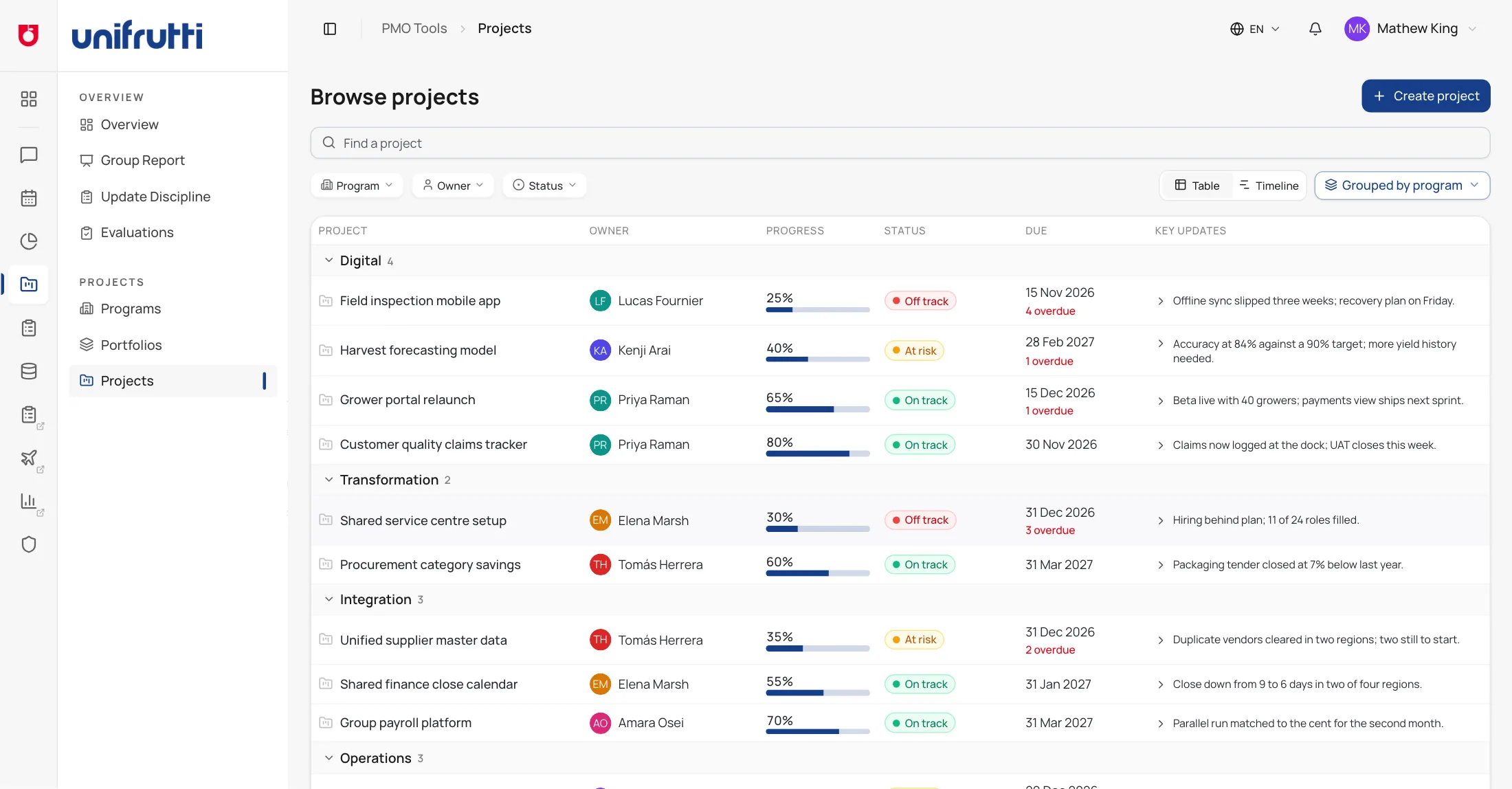
Owner, progress, status, due date and the latest key update sit on one row, grouped by program. Filter by owner, member or status and the off-track work is the first thing you see.
Loading...
From orchards in Chile to markets in Japan, Uniboard keeps the Group's projects, the meetings that steer them and the decisions they produce in one place - so everyone sees where things stand, and what was agreed gets done.
How it works
Nothing about how the group is run changes. What changes is that each step writes to the same project instead of a new deck, email or spreadsheet.
Owners post status updates against their milestones and tasks, and Update Discipline shows whose projects have gone stale - with a reminder one click away.
The evening before, each meeting gets a brief built from those updates and what the last meeting left open - and every point names what it is based on.
A Teams transcript, an uploaded file or typed notes become minutes. Nothing becomes a task until someone reviews it, and every action is followed up until it closes.
Decisions, status updates, comments and documents stay searchable by project, person and date, with the original one click away.
Projects
Owner, progress, status, due date and the latest key update sit on one row, grouped by program. Filter by owner, member or status and the off-track work is the first thing you see.
Group report
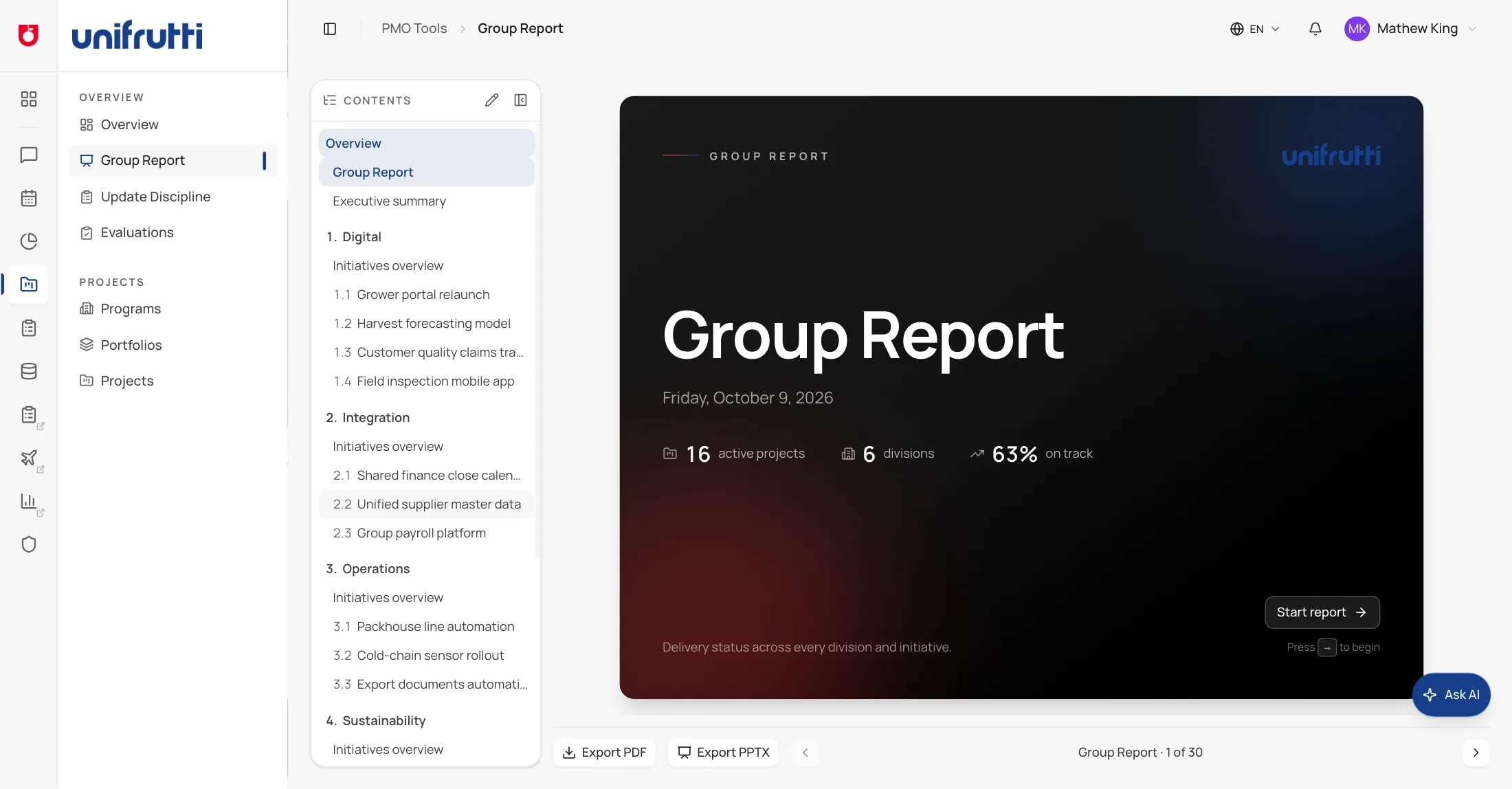
Delivery status across every division opens as a deck - executive summary, divisions, the projects at risk - and exports to PDF or PowerPoint without anyone assembling slides.
Meetings
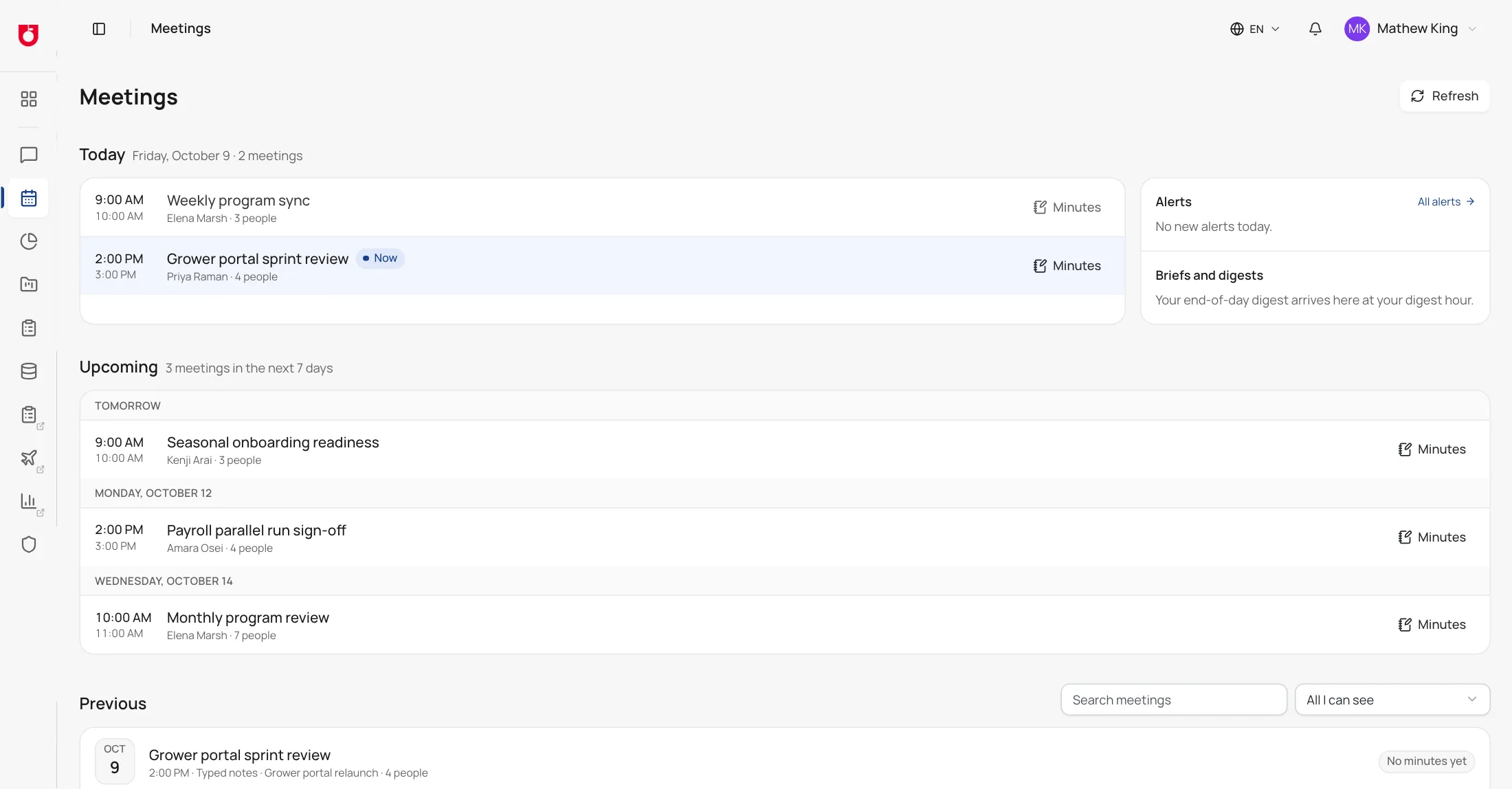
Today's meetings, the week ahead and every meeting already held, with its minutes. Each action becomes a to-do its owner is reminded of until it closes.
Assistant
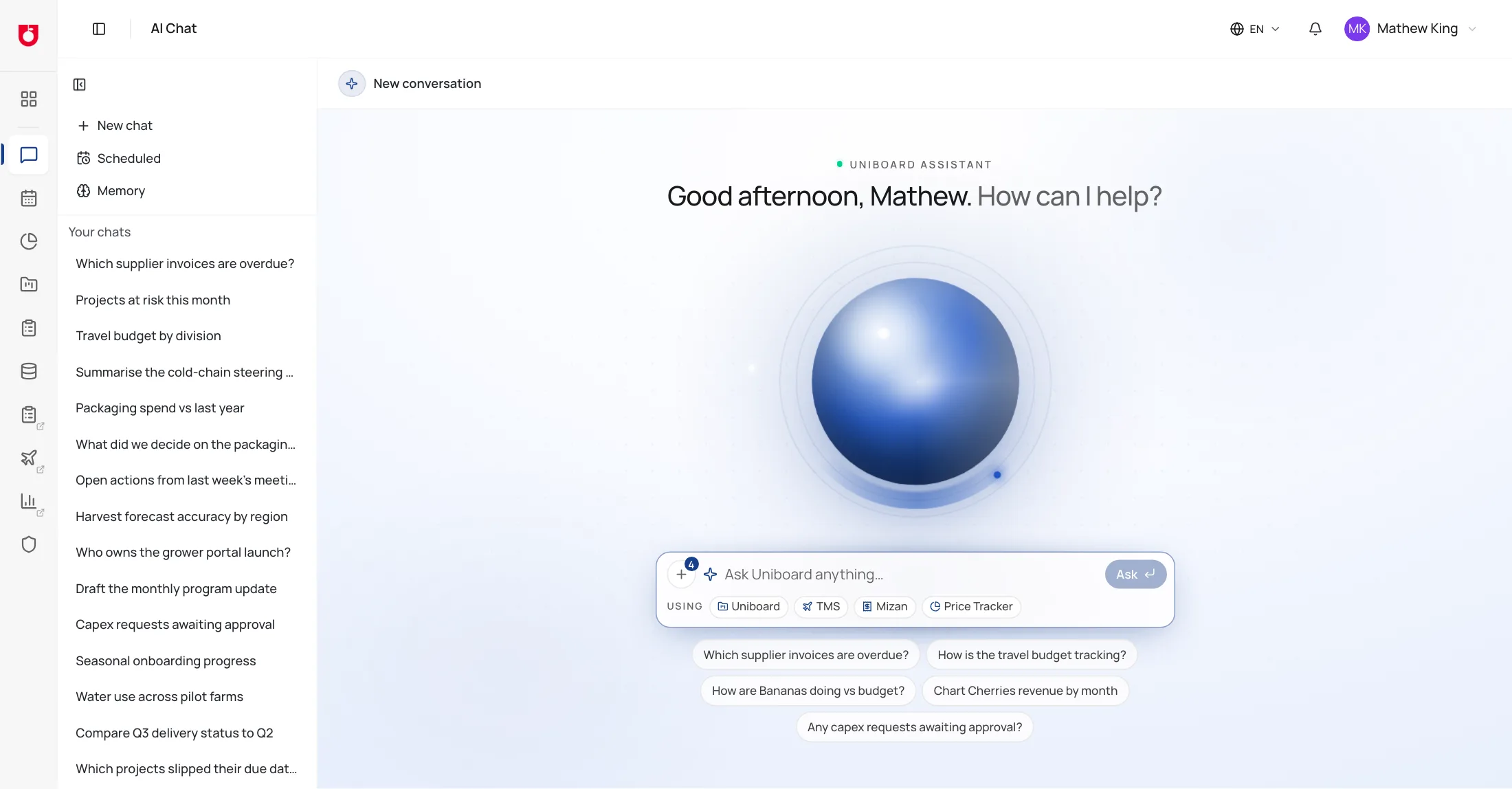
Overdue supplier invoices, the travel budget, a division against its plan - the assistant answers from Uniboard and the connected apps, reads only what you are allowed to open, and shows what each answer was based on.
FAQ
If yours isn't here, ask - we would rather answer it than have you guess.
Does everyone see everything?
No. Access is granted by role and by business unit, so a division lead and a group executive open the same platform and see different projects. The assistant and search follow the same rules - they never return a record you could not open yourself.
How do we know where an AI answer came from?
Every answer keeps a trace of the question, the sources it read and the model behind it, and every AI call lands in an audit trail that cannot be edited after the fact. Briefs and minutes name what each point is based on.
Do we need Microsoft 365 connected?
No. Meetings created in Uniboard work as the calendar on their own. Connect Microsoft 365 and briefs follow your Outlook calendar, minutes can start from a Teams transcript, and your own email becomes searchable.
Does this replace the monthly group deck?
It builds it. The group report is generated from the status updates project owners already post, and exports to PDF or PowerPoint - so the deck and the projects cannot disagree.
In the group's own words
Both are published on unifruttigroup.com. Neither mentions software - which is rather the point.
“Regardless of the season or the production location, Unifrutti applies the same rules and the same supply chain controls, in order to produce in the most efficient and sustainable way.”
 Unifrutti GroupStandards and Certifications ↗
“As an actual year-round player, Unifrutti guarantees total continuity throughout the year for a wide variety of products.”
Unifrutti GroupOur Products ↗Tell us your division and your role, and we will walk the screens you would actually use. Write to [email protected].